
Download Messenger Kids – Free Messaging App, Parental Control, Children's Communication, Safe Chat App, Facebook Messenger for Kids
Overview
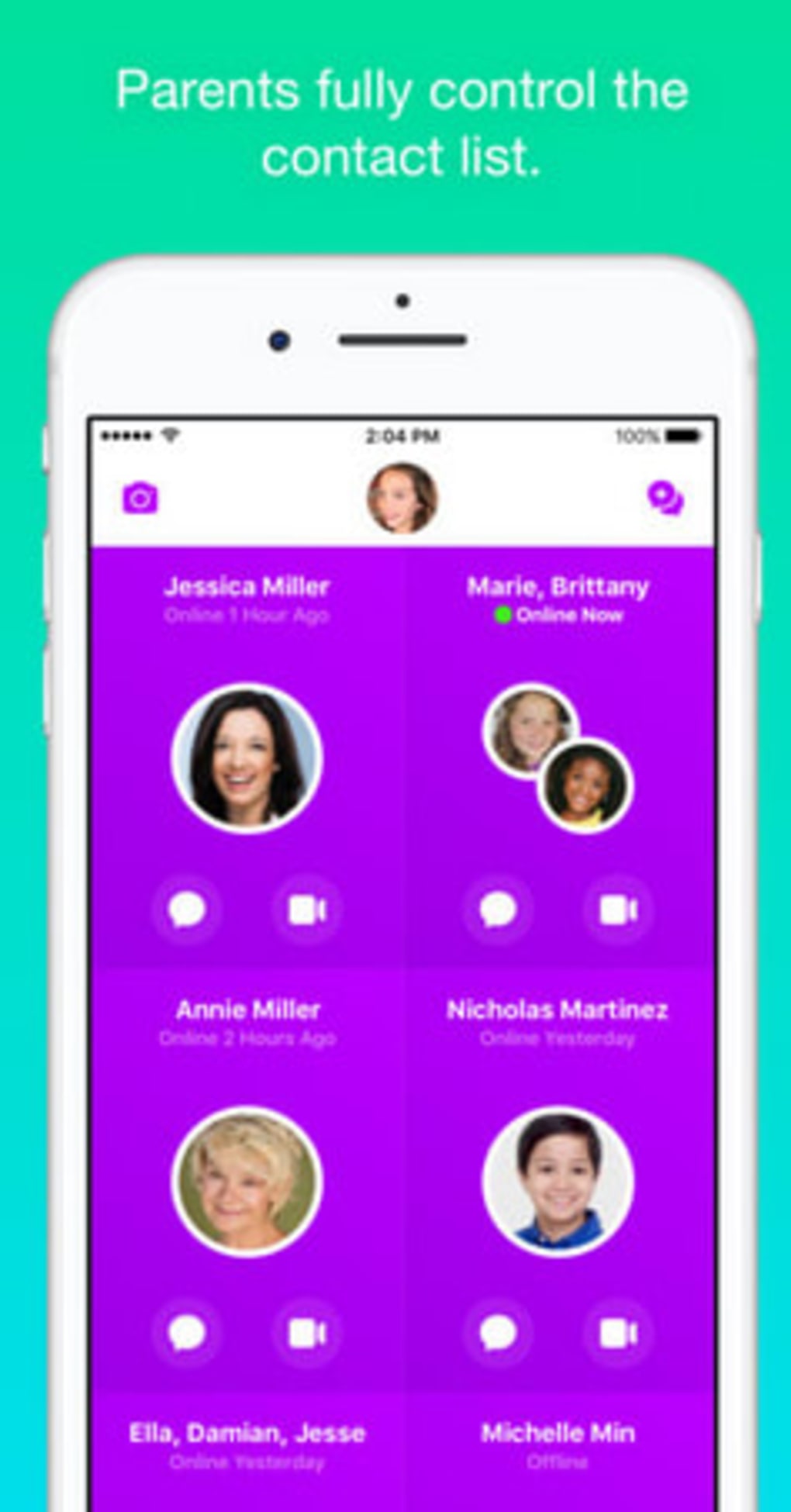
Messenger Kids is a free messaging application developed by Facebook, designed specifically for children aged 6 to 12. The app provides a safe, controlled environment for young users to communicate with family and friends while giving parents the tools to monitor and manage interactions. Its primary purpose is to address parental concerns about online safety by limiting who children can message and ensuring that conversations remain within trusted circles. The app functions similarly to a standard messaging platform, with a vibrant, child-friendly interface that encourages natural use without the feeling of being constantly monitored.
It serves as a bridge between digital communication and parental oversight, allowing children to stay connected with loved ones while reducing exposure to inappropriate content or strangers. The target users include parents seeking secure digital tools for their children, as well as young users who want to send messages and share photos with family members. Real-world usage scenarios include coordinating playdates, sharing school projects, or staying in touch with relatives across distances. While the app does not replace open dialogue between parents and children, it offers a practical layer of protection for everyday communication.
Key Features & Capabilities
- Parent-Approved Contact List – Parents can only add contacts that are pre-approved, ensuring children only communicate with people they know and trust.
- Real-Time Parental Controls – Guardians can manage who their child can message, block users, and review message history through a dedicated parent dashboard.
- Message Safety Filters – The app automatically detects and blocks inappropriate language, helping to maintain a respectful and safe conversation environment.
- Photo Sharing with Approval – Children can send photos to approved contacts, but only after the parent has enabled this feature and set permissions.
- Activity Monitoring – Parents receive notifications about new messages and can view a log of recent interactions, promoting transparency without constant surveillance.
These features are designed to support healthy digital habits while minimizing risks. For example, a parent can allow their child to message only their grandparents and siblings, preventing contact with unknown individuals. The photo-sharing function, when enabled, allows children to share drawings or schoolwork with family members while ensuring the parent has oversight. The app’s design emphasizes trust and simplicity, making it accessible for both young users and their caregivers.
User Interface, Workflow & Performance
The user interface of Messenger Kids is clean, colorful, and intuitive, with large icons and simple navigation tailored for younger users. The layout follows standard messaging app patterns, making it easy for children to send messages, view conversations, and access their contact list. The workflow is streamlined: after setup, children can start chatting immediately with pre-approved contacts, with minimal friction.
Navigation is straightforward, with a bottom menu bar offering quick access to messages, contacts, and settings. The app maintains a consistent design language that avoids clutter, helping to prevent confusion. While the developer did not specify resource usage details, the app’s file size of 45.2 MB suggests it is optimized for efficient performance on mobile devices. General software behavior patterns indicate it should operate smoothly on supported platforms, with minimal lag during message sending or photo viewing.
Stability appears to be a focus, as the app is designed to run reliably within the constraints of parental controls. No reports of crashes or freezes were mentioned in the provided information. The app does not require constant background activity, which helps preserve battery life and device performance.
Compatibility & System Requirements
Messenger Kids is available on both Android and iOS platforms. The latest version, 2.1.0, was released on August 15, 2023. The app has a file size of 45.2 MB, which is relatively compact for a messaging application with media-sharing capabilities. This suggests efficient storage usage and faster download times.
Exact system requirements were not listed. However, since the app is designed for children aged 6–12 and developed by Facebook, it is likely compatible with modern smartphones and tablets running recent versions of Android and iOS. The developer did not provide additional system requirements. Compatibility information is limited to the supported operating systems and version details.
Pros and Cons
Pros
- Free to download and use with no hidden costs.
- Designed specifically for children aged 6–12 with age-appropriate interface.
- Strong parental controls that limit contacts and monitor messages.
- Realistic messaging experience that doesn’t feel overly restrictive.
- Photo sharing with optional parental approval.
Cons
- Only available on Android and iOS; no desktop or tablet app for larger screens.
- Parental dashboard requires a separate device for monitoring.
- Does not support group chats with unapproved users.
- Limited to messaging and photo sharing; no voice or video calling.
- Requires an active Facebook account for parent setup.
FAQ Section
Is Messenger Kids available for free?
Yes, Messenger Kids is completely free to download and use. There are no in-app purchases or subscription fees.
Can my child use Messenger Kids without my permission?
No. A parent must set up the account and approve all contacts before the child can begin messaging. The app cannot be used without parental configuration.
Does Messenger Kids collect data from children?
Facebook has stated that Messenger Kids is designed with privacy in mind. However, the app does collect data necessary for operation, such as message content and contact information, which is used to enforce safety policies.
Can I update Messenger Kids on my device?
Yes, updates are automatically available through the Google Play Store or Apple App Store. The latest version is 2.1.0, released on August 15, 2023.
Is Messenger Kids safe for young children?
Yes, the app includes multiple safety features such as contact approval, message filtering, and parental monitoring. These tools are designed to help parents maintain a secure environment for their children’s digital communication.
Final Thoughts + CTA
Messenger Kids offers a thoughtful, balanced approach to children’s digital communication. It combines the convenience of a modern messaging app with robust parental controls, making it a reliable choice for families concerned about online safety. While it lacks advanced features like video calling and group chats with non-approved users, its core functionality is well-executed and purpose-built for its target audience.
Parents seeking a secure, free, and easy-to-use tool to help their children stay connected with family and friends will find Messenger Kids to be a valuable addition to their digital toolkit. The app’s design ensures that children feel like they’re using a real chat app, not a surveillance tool, which promotes natural engagement.
Download Messenger Kids now and give your child a safe way to communicate with loved ones.





.png)

